

Ticket Redemption is a complete management app for arcade redemption counters. Scan receipts from Ticket Eaters, manage prizes and inventory, handle loyalty cards and ticket balances, and manage timed activities such as billiards, table tennis, and other rentals—all from iPhone or iPad.

The complete redemption management app
Manage tickets, prizes, inventory, loyalty cards, and timed activities from iPhone or iPad.
Ticket Redemption is an iOS app for managing prize redemption in arcades and Family Entertainment Centers. It lets staff scan receipts from Ticket Eaters, manage tickets, prizes and inventory, handle loyalty cards, and manage timed activities such as billiards and table tennis—all from an iPhone or iPad. Traditional redemption management systems are often closed ecosystems built around proprietary hardware, dedicated software, local servers, and complex infrastructure. Ticket Redemption takes a different approach: a modern system based on Ticket Eater receipts and barcodes, loyalty cards, iCloud, and a dedicated app for customers to browse the available prizes.
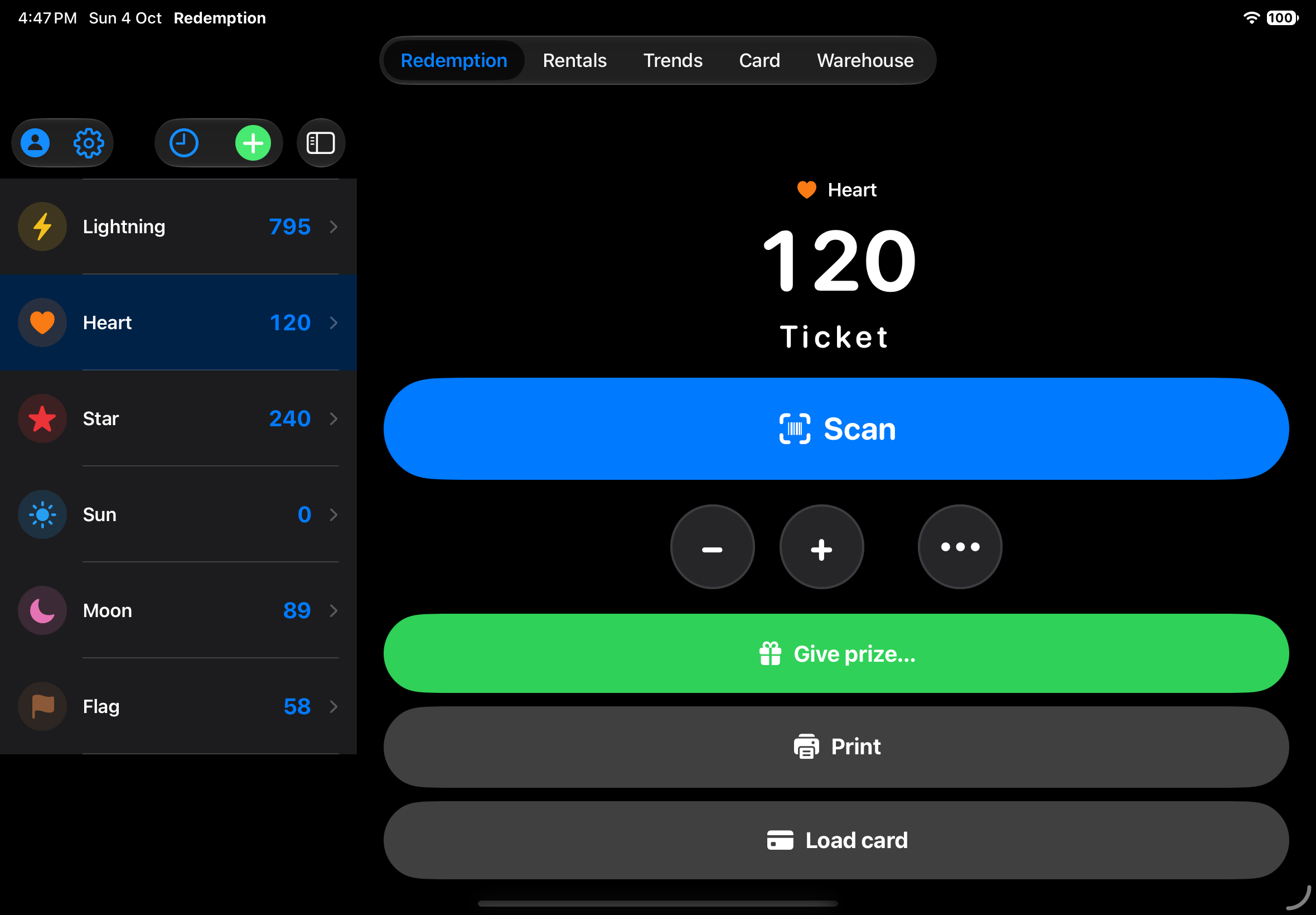
From tickets to prizes in seconds
Scan receipts, select prizes, and complete the redemption in just a few taps.
Customers collect tickets while playing arcade games and then take them to a Ticket Eater (also known as a Ticket Redemption Machine). The Ticket Eater counts the tickets and prints a receipt showing the total. At the redemption counter, the operator scans the receipt with the iPhone or iPad camera. Ticket Redemption recognizes the ticket value and immediately updates the ticket total. Multiple receipts can be scanned one after another, tickets can also be added manually when necessary, and the available total is always clearly visible. When the customer chooses their prizes, the operator simply selects the products using the quick search or scans their barcodes. Ticket Redemption automatically calculates the total, checks availability, and updates the inventory when the prizes are handed over.
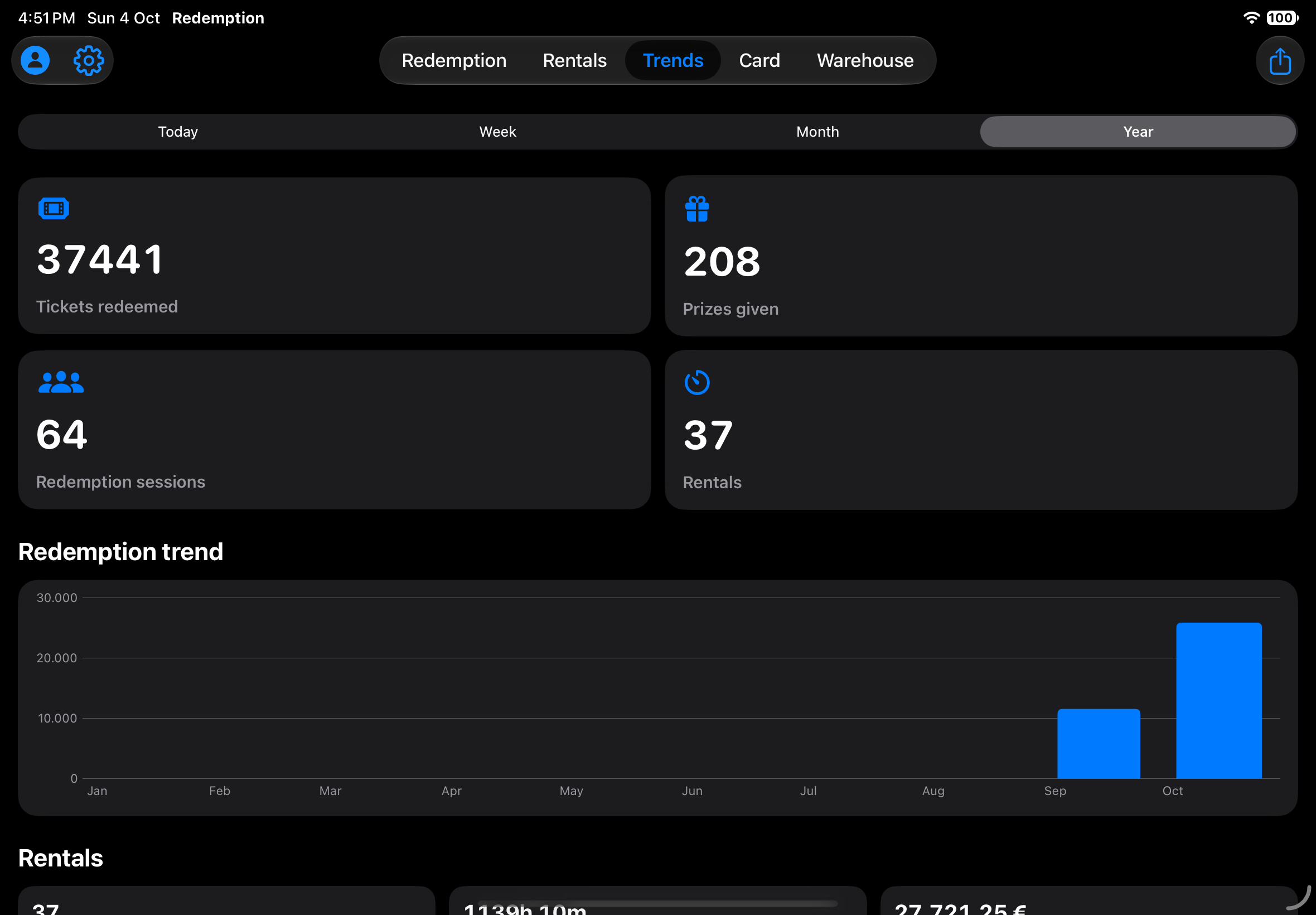
What if a receipt has already been used?
Every receipt is checked automatically before it can be redeemed.
Ticket Redemption recognizes it and blocks it. The system immediately identifies receipts that have already been redeemed or are not valid, reducing errors and making prize redemption safer even when multiple operators are working at the same time.
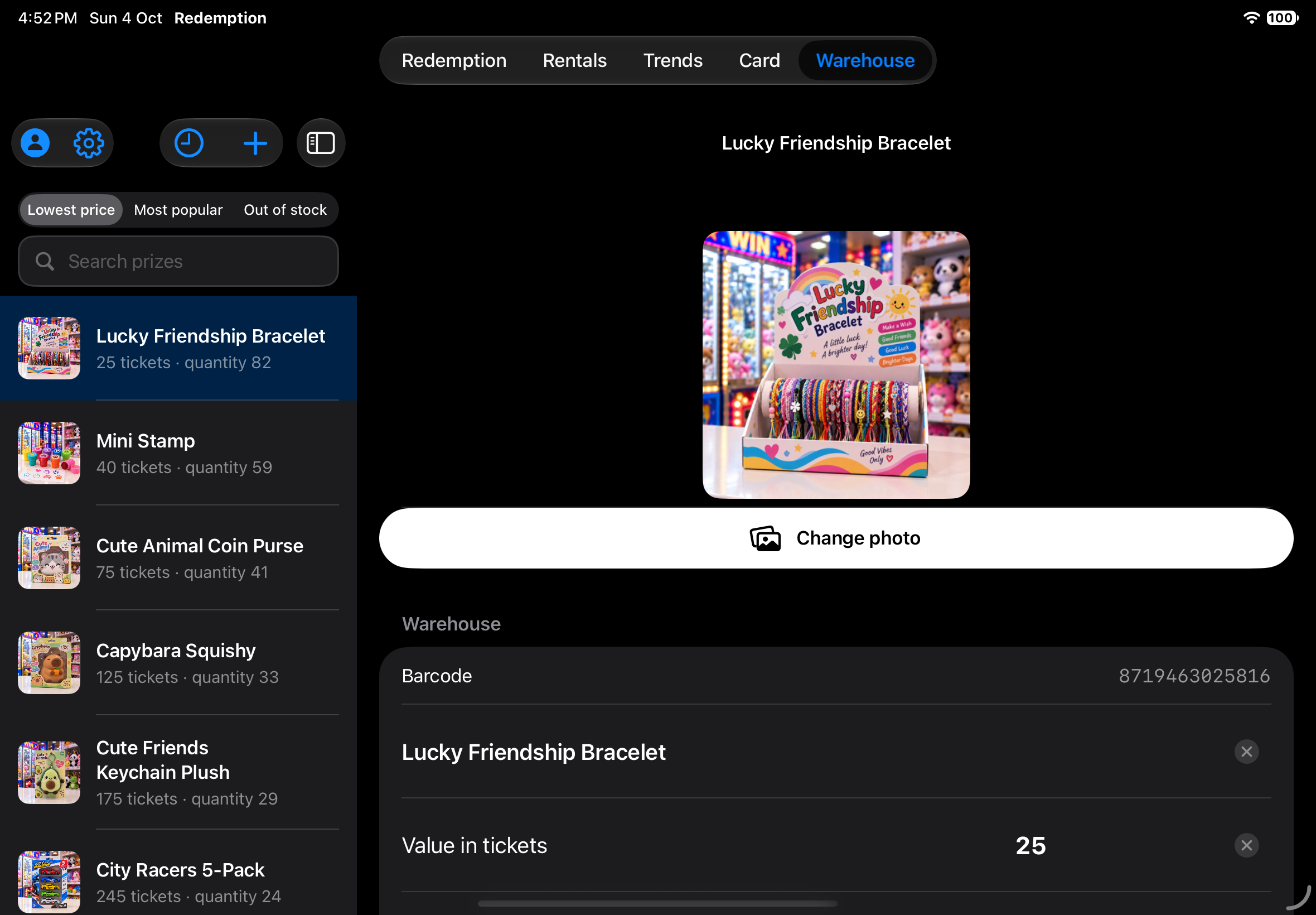
A complete prize inventory
Manage tickets, prizes, inventory, loyalty cards, and timed activities from iPhone or iPad.
Each prize can have a name, item code, barcode, ticket value, available quantity, and photo.
Inventory is automatically updated every time a prize is handed over. Quick search and printable labels make it easy to manage the catalog, so staff always know what is available without relying on spreadsheets, notes, or separate systems.
Multiple devices. One system.
Keep every device in sync with iCloud.
Multiple iPhones and iPads in the same arcade can work with the same data through iCloud. Inventory, loyalty cards, ticket balances, and timed activities remain synchronized across devices. You can have two or more devices—for example, an iPad at the redemption counter and two iPhones for staff—without creating separate systems. If a device needs to be replaced, simply configure a new iPhone or iPad with the same Apple Account and the arcade’s data becomes available on the new device.
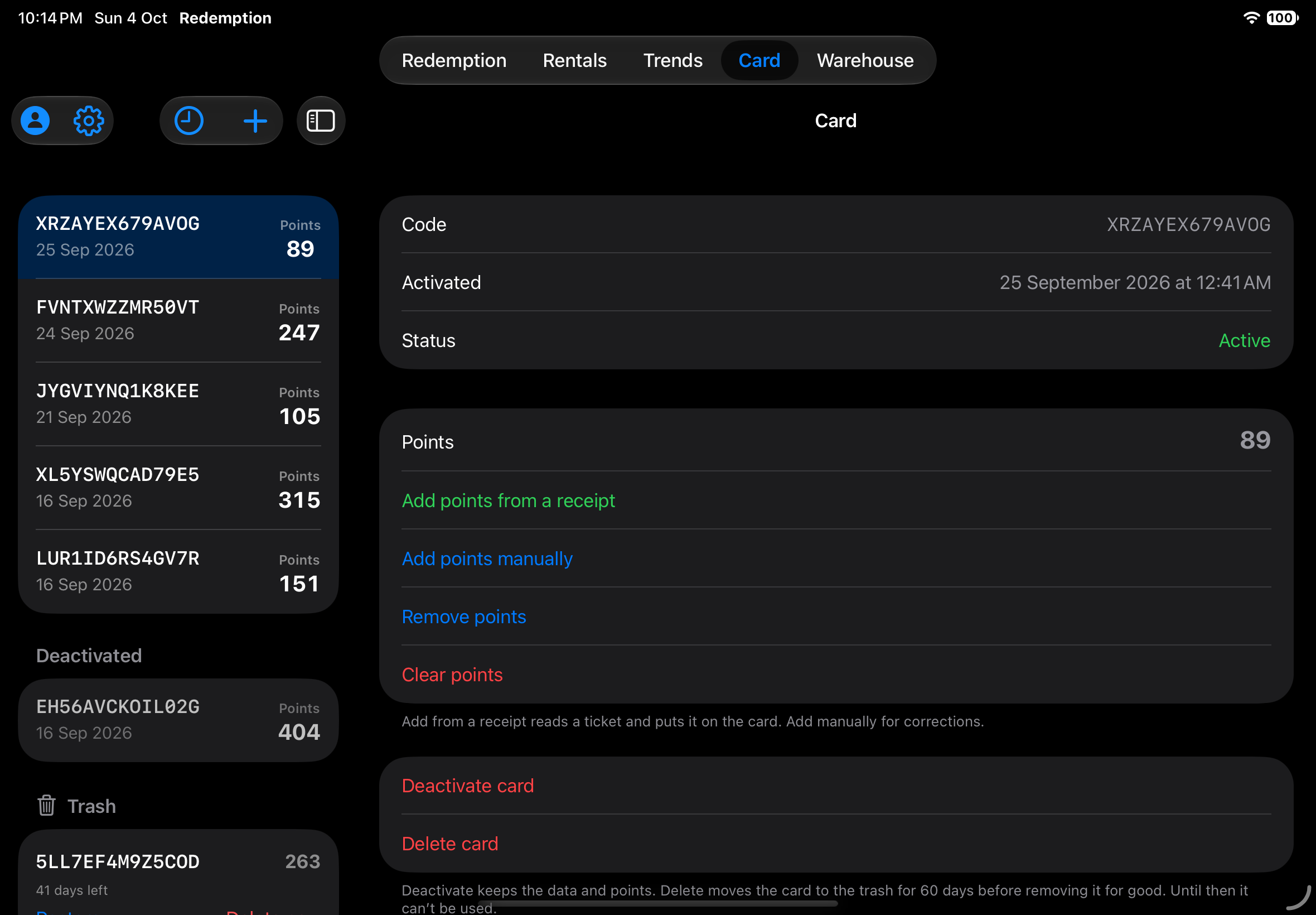
Loyalty cards
Keep customers’ ticket balances available for their next visit.
Ticket Redemption can manage the arcade’s loyalty cards. Tickets can be added to a card and used later, with the ticket balance synchronized across the arcade’s devices. Customers do not have to spend their entire ticket balance during a single visit. They can keep the remaining tickets on their loyalty card and use them the next time they visit.
More than prize redemption
Manage your arcade’s rentals and timed activities from the same app.
The redemption counter can also manage timed activities such as billiards, table tennis, padel, table football, karting, skating, bobsledding, and darts. You can configure the activities, specify the available tables, courts, or stations, and set the rates. Staff start the session when the customer begins and stop it when the activity ends. Ticket Redemption automatically calculates the duration and amount due. One app for managing multiple aspects of the arcade’s daily operations.

Turn your iPad into a prize kiosk
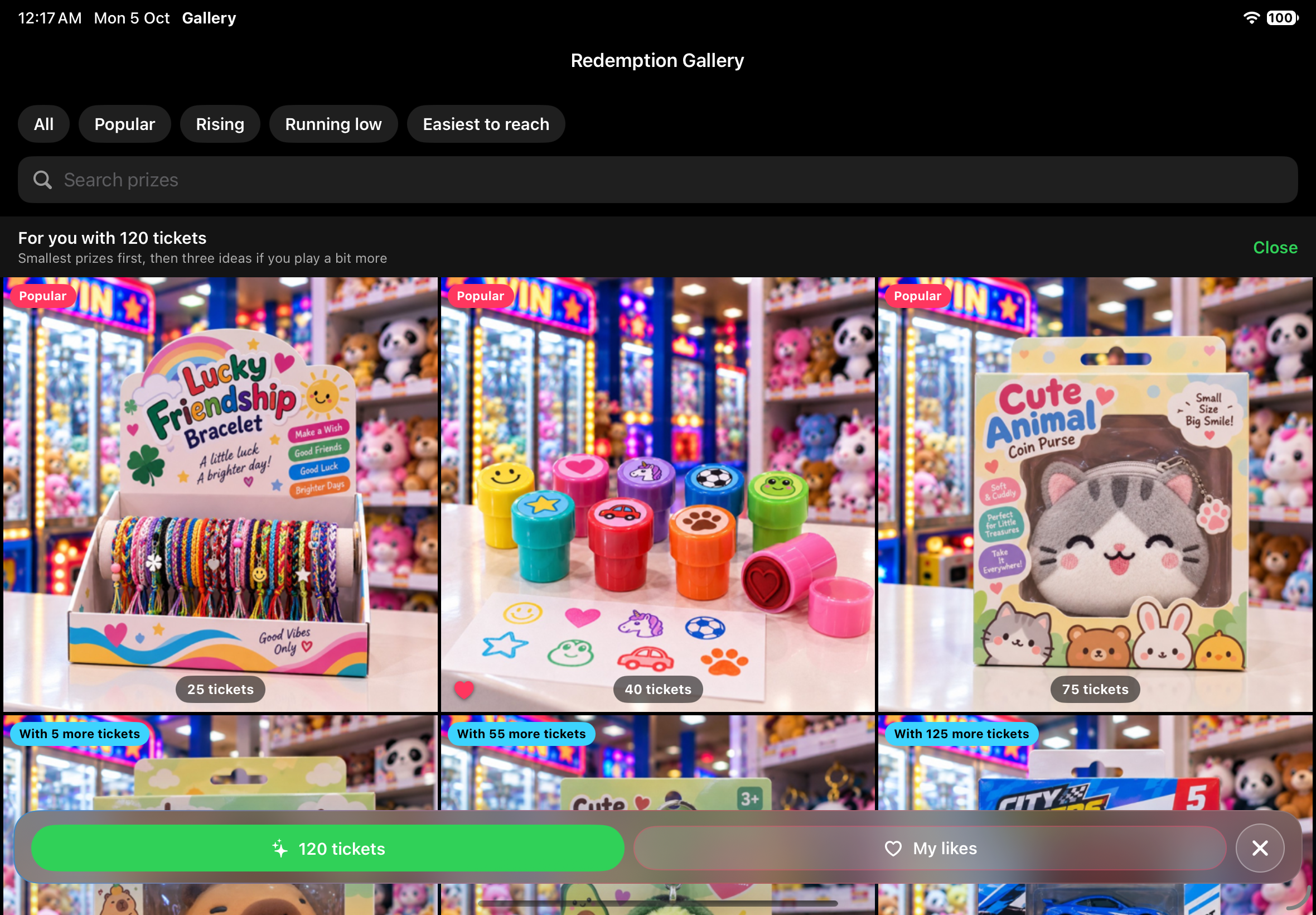
Redemption Gallery lets customers browse the prize catalog and see what they can redeem with their tickets.
Ticket Redemption is complemented by Redemption Gallery, a customer-facing kiosk app for the arcade. Customers can browse available prizes, use filters and search, see how many tickets each prize requires, receive suggestions based on their ticket balance, and like the prizes they are interested in. They can enter their ticket balance manually or read it from a receipt or loyalty card. Redemption Gallery is for browsing only: it does not redeem receipts, consume tickets, or modify the ticket balance on a loyalty card. This allows customers to arrive at the redemption counter already knowing which prizes they want. If you work at the redemption counter, you already know why that matters.
Everything you need to manage your redemption counter
Manage receipts, prizes, inventory, loyalty cards, and timed activities from your iPhone or iPad.
- Receipt Scanning — Scan receipt barcodes with immediate feedback for valid, already-used, or invalid receipts. With older Ticket Eaters that do not print barcodes, the ticket number between the asterisks can be read automatically or entered manually.
- Prize Redemption — The ticket total updates in real time as you scan receipts and select prizes. Multiple receipts and prizes can be handled in the same redemption. Inventory is updated automatically when prizes are handed over, and completed operations can be printed as a consolidated receipt.
- Prize Inventory — Manage your prize catalog with barcodes, photos, ticket values, and quantities. Use quick search, print prize labels, and keep stock automatically updated.
- Loyalty Cards — Manage barcode-based loyalty cards with a ticket balance. Add or deduct tickets and keep balances synchronized across the arcade’s devices.
- Traceability — Keep a history of redemption and other activities, including the staff member who performed each operation. Trends provides an overview of your activity, while a local technical log helps with troubleshooting.
- Multiple Devices — Multiple iPhones and iPads in the same arcade share inventory, loyalty cards, ticket balances, and timed activities through iCloud.
- Timed Activities — Manage tables, courts, rentals, and other timed activities directly from the same app, with configurable rates and automatic calculation of duration and amount due.
- Redemption Gallery — Turn an iPad into a customer kiosk with a prize catalog, filters, search, likes, and suggestions based on ticket balance. Customers can enter their balance manually or read it from a receipt or loyalty card. Browsing does not redeem receipts or modify loyalty cards, and an idle slideshow keeps the kiosk active between customers.

A free one-month trial will be
available soon on the App Store.
Related Articles:
- The Role of Prize Redemption in the Guest Experience ROLLER
- Redemption stays strong on the arcade floor Amusements & Attractions
- Redemption Counter Setup Guide: How to Design, Stock, and Optimize Your FEC’s Most Profitable Square Footage UNIS
- The key to operating a successful redemption arcade Amusements & Attractions
- Revenue Operations: Building an Arcade IAAPA