

Organize, manage, and quickly find your information with ease. Create custom databases for contacts, inventories, collections, projects, and more — all with an intuitive interface designed for Mac.

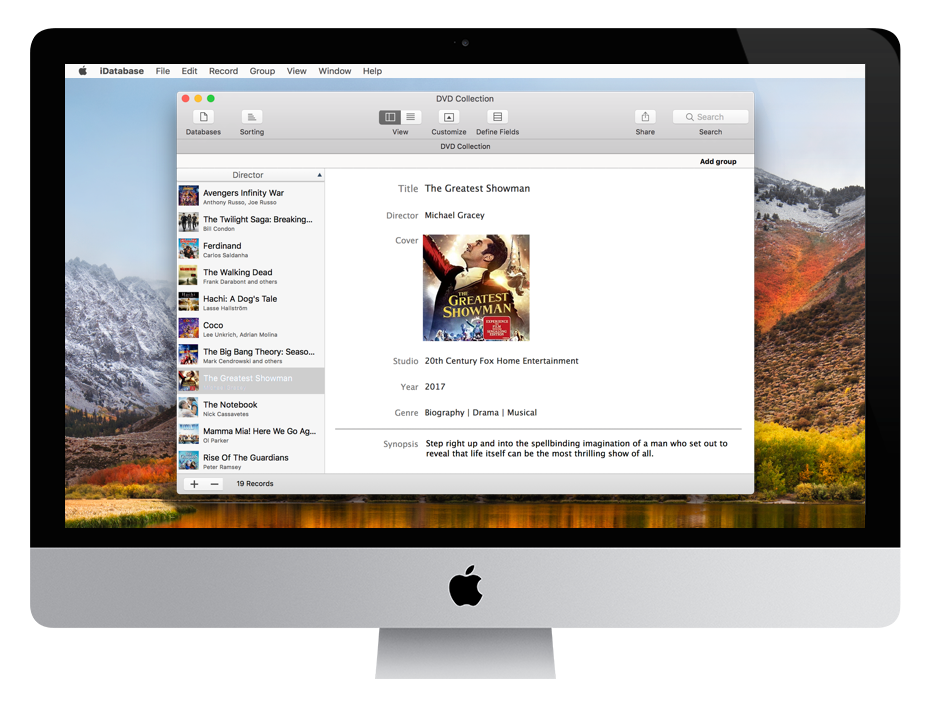
Ready to use
Create collections and inventories with a click.
Are you looking for a simple and efficient way to manage your data on your Mac? iDatabase is the perfect solution for you! With an intuitive interface and advanced features, iDatabase allows you to create custom databases in just a few clicks, with no technical skills required. Whether you’re organizing your wine collection, managing a business inventory, or keeping track of contacts, iDatabase is the ideal tool to simplify your digital life.
Why choose iDatabase?
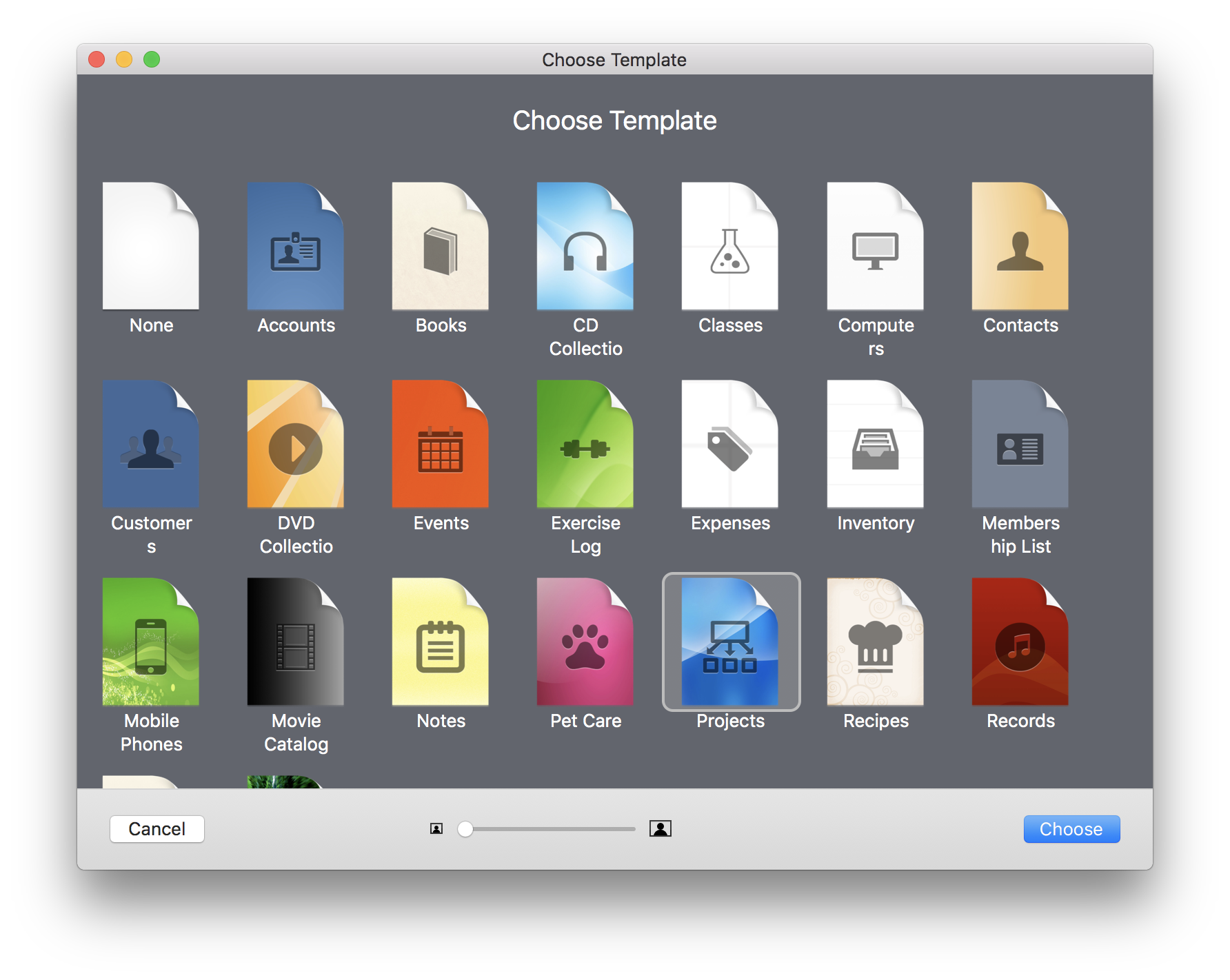
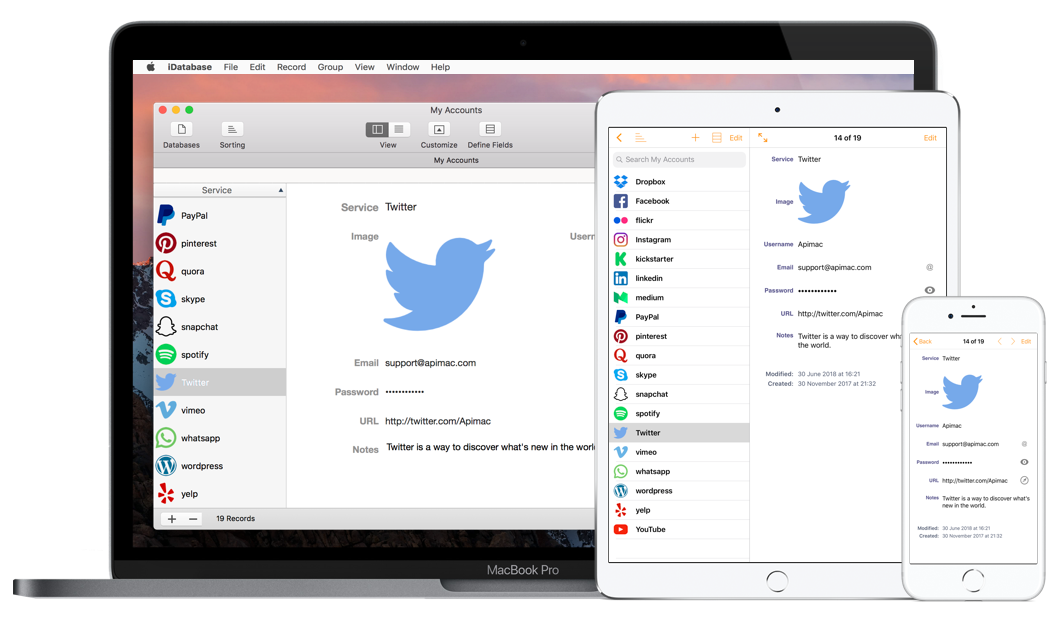
iDatabase is already used by thousands of Mac and iOS users worldwide, thanks to its reliability and ease of use: no learning curve, even if you’ve never used a database before. Flexible: suitable for individuals, professionals, and businesses, for any type of need. Reliable: with over 20 years of development, iDatabase is a trusted choice for anyone looking for a quality database manager. Creating databases on your Mac has never been easier thanks to the unique usage experience of iDatabase. You can use the included templates and then customize them, or you can create a database from scratch in a few minutes by adding your preferred fields. There are a large number of fields you can use to store text, images, links, passwords, phone numbers and arithmetic operations. You can create and customize in minutes a database to manage your collections, store the passwords of your accounts, create an address book containing contact information about your customers or anything else you need for your daily work. It’s so easily that it is amazing.
Here’s how users are already using iDatabase
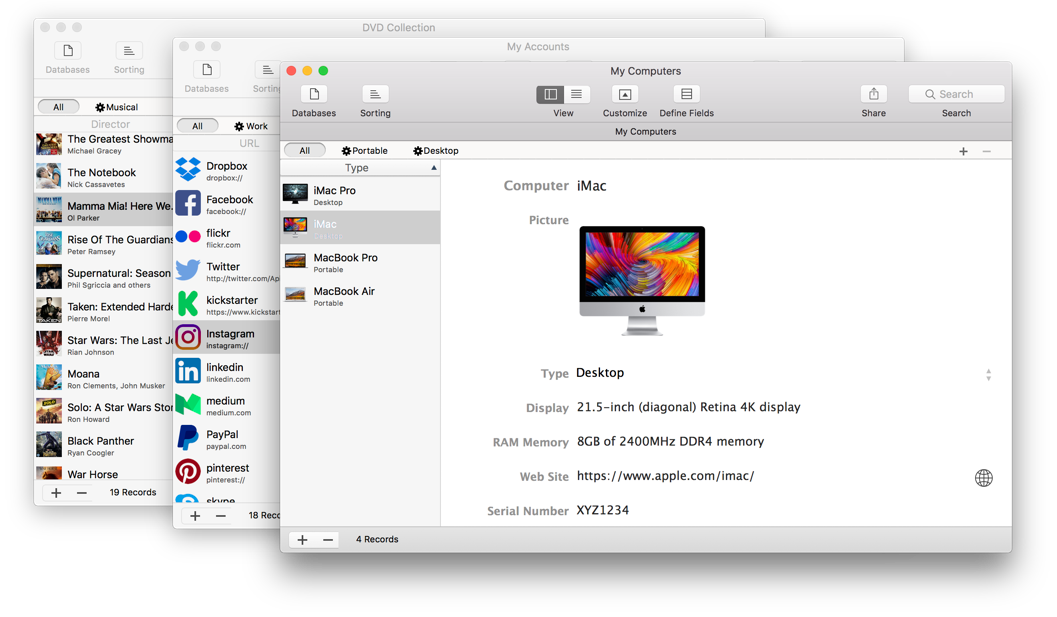
Inventory management: ideal for small businesses that need to track stock and products. Collection organization: perfect for collectors of books, wines, stamps, or any other passion. Advanced address book: manage professional and personal contacts in a structured and searchable way. Event planning: create databases to organize events, guests, and related activities. Project management: keep track of tasks, deadlines, and resources efficiently.
Handy field types for easy data management
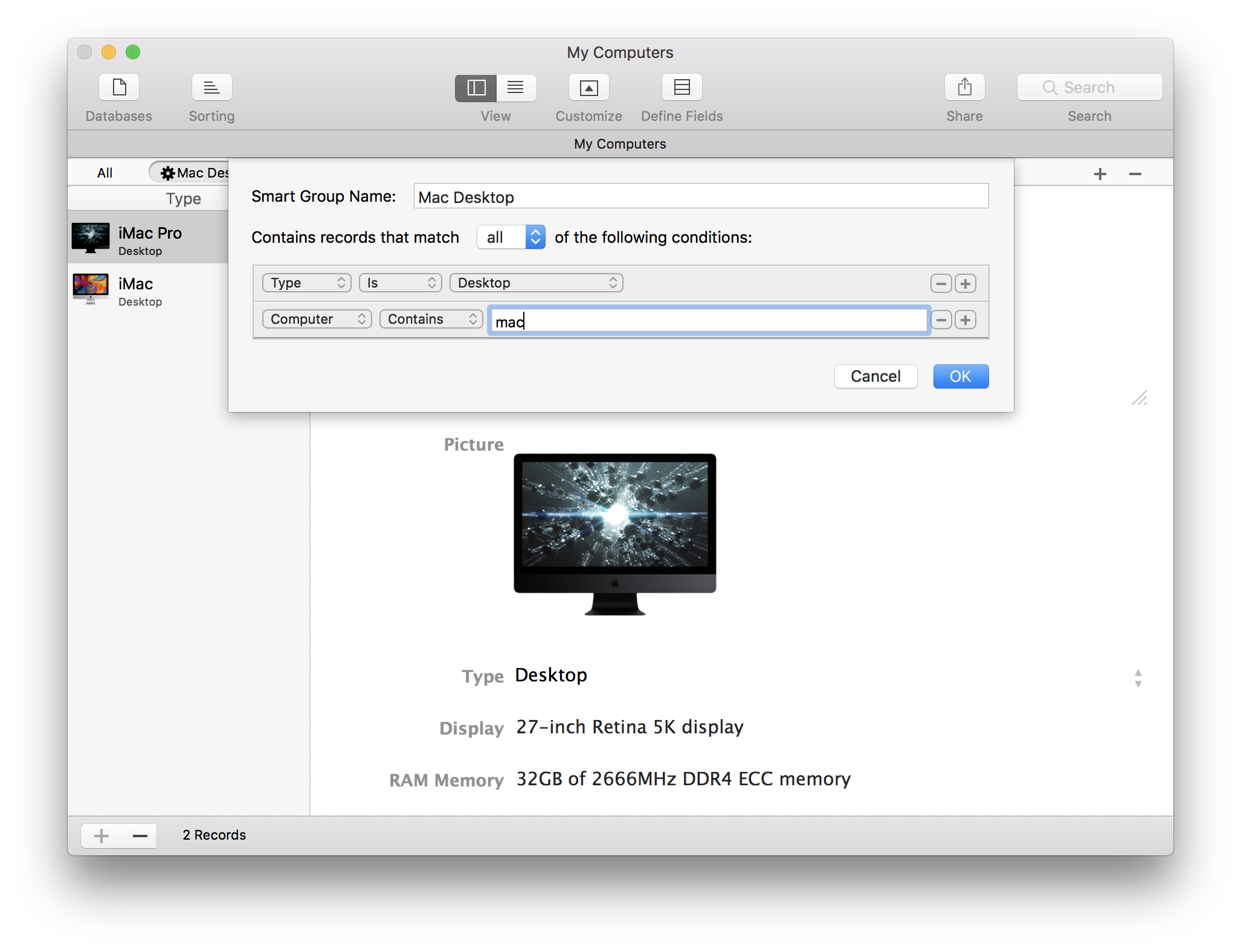
Discover the wide range of field types iDatabase offers to help you manage your data efficiently and effectively. Whether you’re organizing text, numbers, dates, or more, iDatabase has the tools to meet your needs.
- Small Text Field Ideal for storing short strings of characters, including letters, symbols, and numbers, in a single line of text without the need for a scrolling bar. Perfect for concise data entries.
- Large Text Field Designed to accommodate extensive text entries, including letters, symbols, and numbers, across multiple lines. Equipped with a scrolling bar for easy navigation and readability.
- Number Field Specifically tailored for storing numerical data, ensuring precision and accuracy for all numeric inputs.
- Date Field Enables the storage of calendar dates, providing a structured format for date-related data management.
- Time Field Dedicated to capturing and storing time values, ensuring accurate time-based data recording.
- Date and Time Field Combines both date and time into a single field, allowing users to reference a specific point in time with precision.
- Item Picker Field (Choose Field) Presents a list of mutually exclusive options, enabling users to select one choice from a predefined set of two or more items. Ideal for streamlined decision-making.
- Image fields Facilitates the storage and management of image files, supporting visual data integration within your database.
- Separator Field Used to visually divide records into distinct sections, enhancing organization and readability within your data structure.
- Password Field Securely stores sensitive text data, such as passwords to ensure data privacy and protection.
- Web Link Field Designed to store URLs, including web links, FTP addresses, and other online resources, for easy access and reference.
- Email Field use Optimized for storing email addresses, ensuring proper formatting and validation for efficient communication management.
- Checkbox field Allows users to toggle between two states (on/off), making it ideal for binary options or simple yes/no decisions.
- Calculation Field Automatically performs arithmetic operations (addition, subtraction, multiplication, division, etc.) on numerical data and displays the results. Perfect for dynamic calculations and data analysis.
Now you know—create your database in a few clicks!
With its versatile field types and intuitive design, iDatabase is the ultimate solution for managing diverse data needs. Whether you’re a professional, a team, or an individual, iDatabase empowers you to organize, analyze, and access your data with ease.
Make your life easier
Here’s what iDatabase users are saying
⭐️⭐️⭐️⭐️⭐️
“Finally, a database that’s incredibly easy to use and truly comprehensive! I transferred all my data from Excel, and now I save hours of work every week. It’s been a game-changer for staying organized and efficient.”
Michael Peterson
⭐️⭐️⭐️⭐️⭐️
“I use it to manage my extensive wine collection, and it’s absolutely perfect. The search features are so intuitive, and I can find exactly what I need in an instant. It’s made my hobby so much more enjoyable and stress-free.”
Sara M.
⭐️⭐️⭐️⭐️⭐️
“This tool has been fantastic for my small business. I can easily manage inventory, track client information, and handle all my data without any issues. It’s streamlined my operations and saved me so much time and effort.”
Lucas Thompson
FAQ (Frequently Asked Questions)
Find all the answers you need to make informed decisions before downloading or purchasing the app.
What is iDatabase, and who is it for?
iDatabase is a database manager for Mac that allows you to create, organize, and manage custom databases in a simple and intuitive way. It’s perfect for individuals, professionals, and small businesses who need to organize data like contacts, inventories, collections, events, and much more.
Do I need technical skills to use iDatabase?
Absolutely not! iDatabase is designed to be easy to use, even if you’ve never used a database before. The intuitive interface and pre-designed templates will guide you step by step in creating and managing your databases.
Can I try iDatabase before buying it?
Of course! We offer a free trial version that lets you test all the features of iDatabase with no obligation. Download it now and see how useful it can be for your needs.
Does iDatabase support iCloud sync?
iDatabase supports seamless iCloud Sync across Mac, iPhone, and iPad. Simply sign in with the same Apple Account on all your devices and enable iCloud Sync in iDatabase settings. Your databases are synchronized automatically in the background, making it easy to keep your information up to date everywhere.
What file formats does iDatabase support?
iDatabase supports importing and exporting data in formats .iDatabase and CSV. This allows you to easily transfer your data to and from other applications.
How can I protect my data with iDatabase?
Security is a top priority for us. iDatabase offers password protection and backup feature to ensure your data is always safe.
What if I need help or support?
Our support team is always here to help you! We offer 24/7 instant chat support to resolve any questions or issues in real time. You can also check out our online guide and help center for additional resources and tutorials.
What are the benefits of purchasing the full version?
By purchasing the full version, you’ll unlock all the advanced features of iDatabase, including unlimited database creation and access to future updates.
Can I use iDatabase to manage my small business?
Absolutely! iDatabase is perfect for small businesses that need to manage inventories, contacts, projects, and more. Many users rely on it to optimize their business processes and save time.
Have more questions?
Contact us or download the free trial to discover everything iDatabase can do for you!
Ready to Experience iDatabase?
Download the free version today and see why thousands of users around the world trust and love it!
Or unlock the full potential with the premium version and enjoy all the advanced features right away.